

Course Overview
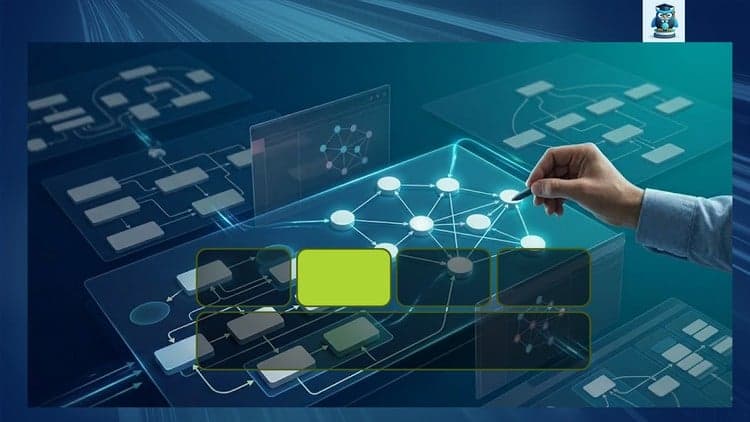
Master Enterprise Architecture Meta-Model: 2. Appl Layer
Part 2: The Application Layer – Logic, Integration, and Lifecycle
Bridge the Gap Between Abstract Frameworks and Data-Driven Architecture
The Business Layer defined the "What" and "Who." Now, we tackle the "How." In many organizations, the Application Layer is a chaotic "black box" of legacy monoliths and fragmented microservices. To manage this complexity, you need more than just a list of names—you need a structured ontology.
This second installment of our 5-part series dives deep into the Application Layer of the Essential Architecture Store (EAS) Meta-Model v6.21. We move beyond static spreadsheets to model applications as dynamic assets that support business capabilities and drive digital transformation.
What You Will Learn in Part 2
This is a 100% hands-on deep dive into modeling the software landscape. We explore the critical relationships between business needs and technical implementation.
Application Services vs. Functions: Learn to distinguish between what an application does for the user and how it operates internally.
The Provider/Instance Logic: Master the complex EAS logic of distinguishing between a "Software Product" (the vendor's version) and an "Application Provider" (your organization's specific deployment).
Integration & Data Flow: Stop drawing lines; start modeling interfaces. We will map how data moves between systems using a graph-based approach.
Lifecycle & Disposition: Use the meta-model to drive strategy. We will model application roadmaps (Buy, Hold, Retire) to automate portfolio rationalization.
Module Breakdown
Module 1: Expanding the Schema
Reviewing the connection: How the Application Layer anchors to the Business Layer.
Setting up the Application Meta-Model in Protégé 5.6.9.
Introduction to the Application Provider and Application Deployment classes.
Module 2: Modeling the Portfolio
Application Capabilities: Mapping software to the Business Capabilities defined in Part 1.
Application Types: Categorizing by Cloud, On-Premise, SaaS, and Custom-built.
Logical vs. Physical: Separating the conceptual "System" from the physical "Installation."
Module 3: Integration and Interfaces
Defining Application Services as the "contracts" between systems.
Using arrows-app to prototype complex integration patterns (API, Batch, Message Queue).
Capturing Data Objects: What information is being moved and who owns it?
Module 4: Advanced Graph Analysis in Neo4j
Impact Analysis: Running Cypher queries to see which Business Processes break if an Application goes down.
Portfolio Health: Visualizing application "technical debt" and lifecycle status using graph nodes.
The "Application 360" View: Creating a holistic dashboard of an application's ecosystem.
The Tech Stack
Continuing our "Architecture as Code" philosophy, we use:
Protégé 5.6.9: For managing the Application Layer ontology and slots.
Neo4j: For high-performance visualization of application dependencies.
arrows-app: To build prototype for neo4j graph database.
GitHub: Access to updated Cypher scripts and updated Meta-Model templates.
Your Roadmap to Mastery
You’ve mastered the Business Layer. Now, connect it to the software. By the end of this course, you will have a functional, queryable model of your application landscape that provides real-time insights to stakeholders.
Business Layer (Completed)
Application Layer (Available Now)
Information Layer: Mastering data objects and flows.
Technology Layer: Modeling infrastructure and cloud.
Enterprise Support: Governance and Change.
Don't just catalog your apps—architect them. Join Part 2 and bring your application portfolio to life.

Xiaoqi Zhao
Offer has expired
Verified Coupon